
Hi fellow Strands Agents explorers. Last time we saw how the agent had a shorter memory than a goldfish, and had forgotten all about the trip it had just given us the weather forecast for.
In the previous post we told the agent we were going to Lisbon this weekend and wanted to spend as much time outside as possible. It went straight for the forecast and planned a dry weekend for us. Then we asked a follow-up question in a new run:
python main.py "Which day of my trip is best for being outside?"
I’d be happy to help you find the best day for outdoor activities during your trip! Could you please provide me with:
- The city you’re traveling to?
- The dates of your trip (or how many days)?
Which trip? The one we told it about a minute ago. In this post we’ll fix that, and give our agent two kinds of memory: session memory and shared memory. We’ll build three labs along the way, and by the end you’ll know what each kind of memory remembers, and when to reach for which.
Why the agent forgets
The model behind our agent doesn’t remember anything between calls. Every time the agent calls the model, it sends the whole conversation along: our messages, the model’s answers and the tool results. The model reads all of it, and writes the next answer. It’s a bit like a colleague who reads through the entire email thread before replying, every single time. Without the thread, there’s nothing to reply to.
Strands keeps that thread for us in the agent’s messages. As long as the agent is alive, it remembers the conversation, and we can ask it as many follow-up questions as we like. The problem is our script. Every time we run it, we create a brand new agent with an empty message history, and when the script ends, the conversation goes with it.
There are two ways to fix this, and they remember different things.
Session memory saves the conversation itself, the email thread. When we come back to the same session, the agent picks up exactly where we left off. But the thread belongs to that one conversation. Start a new one, and the agent starts from scratch.
Shared memory is more like the notebook that colleague keeps about us. It doesn’t hold whole conversations, only the things worth remembering, like the fact that we like to spend our trips outside. And it’s shared, so every conversation can read from it and write to it.
Let’s start with the thread.
Session memory
Strands calls a saved conversation a session. A session manager saves the agent’s conversation and state after each run, and when we create the agent again with the same session ID, it loads the conversation back in. The agent picks up where it left off, as if it never went away.
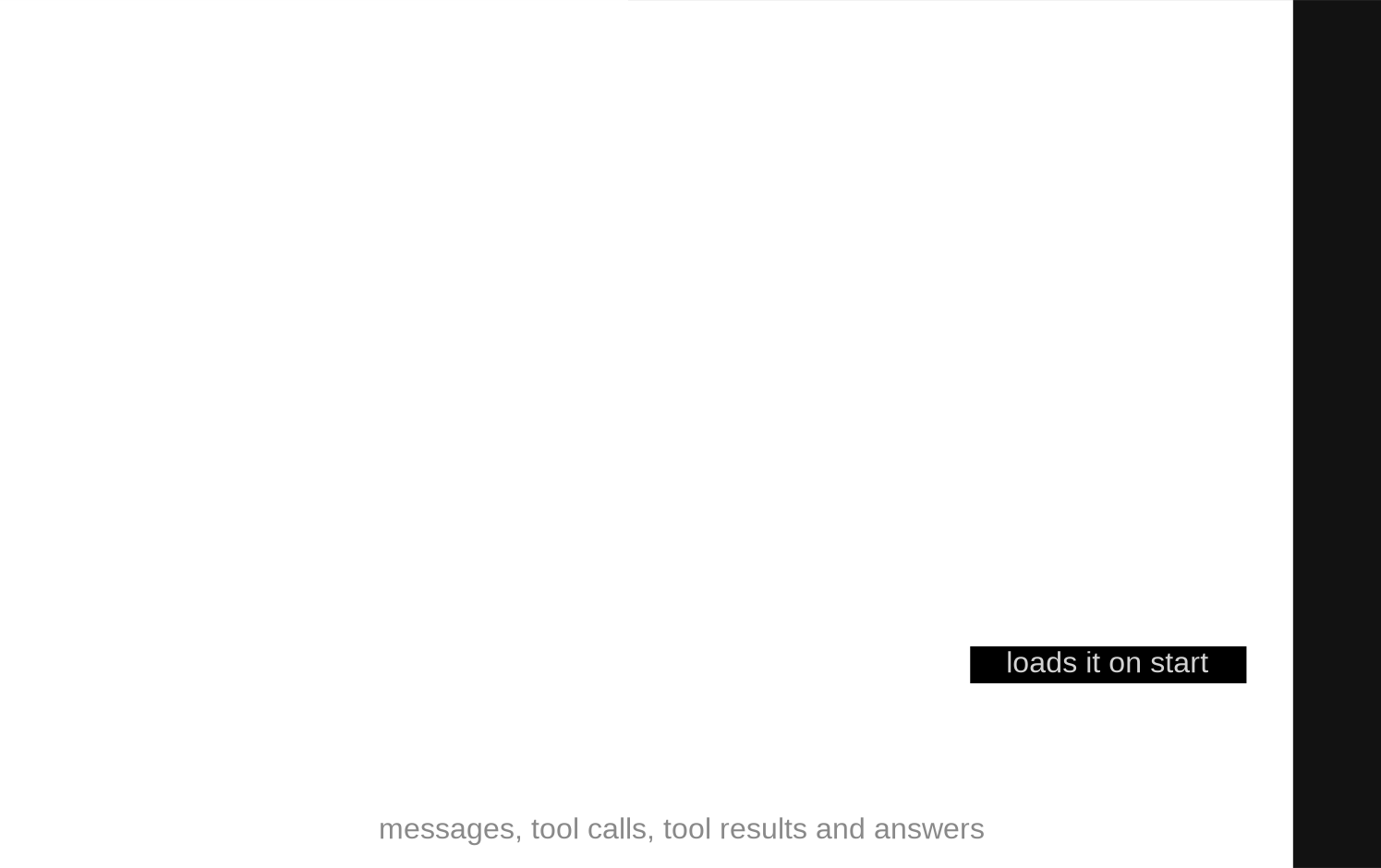
Strands comes with session managers for the local file system and for Amazon S3, and you can write your own if you want to store sessions somewhere else. We’ll use the file system, since it needs no setup and we can open the files and see what the agent remembers.
The lab for this is in 04-session-memory. It’s the agent from the previous post with both tools, and only a few lines added.
Python
We import the FileSessionManager, and decide on a session ID and a folder to store the sessions in. We put the folder next to the script, so it ends up in the same place no matter where we run the script from:
from pathlib import Path

from strands.session import FileSessionManager

SESSION_ID = "my-trip"
SESSIONS_DIR = Path(__file__).parent / "sessions"
Then we create the session manager, and hand it to the agent:
session_manager = FileSessionManager(session_id=SESSION_ID, storage_dir=str(SESSIONS_DIR))

agent = Agent(tools=[get_weather, get_forecast], session_manager=session_manager)
See the full example in the labs repository.
TypeScript
In TypeScript the session manager is a SessionManager, and the storage we give it decides where the sessions are saved. We use LocalFileStorage for the local file system:
import { Agent, SessionManager, tool } from '@strands-agents/sdk';
import { LocalFileStorage } from '@strands-agents/sdk/storage';

const SESSION_ID = 'my-trip';
const SESSIONS_DIR = new URL('./sessions', import.meta.url).pathname;
Then we create the session manager, and hand it to the agent, just like in Python:
const sessionManager = new SessionManager({
  sessionId: SESSION_ID,
  storage: new LocalFileStorage(SESSIONS_DIR),
});

const agent = new Agent({ tools: [getWeather, getForecast], sessionManager });
See the full example in the labs repository.
Let’s try that again
We tell the agent about our trip, just like last time:
python main.py "I'm going to Lisbon this weekend, and I'd like to spend as much time outside as possible."          # Python
npm start -- "I'm going to Lisbon this weekend, and I'd like to spend as much time outside as possible."            # TypeScript
Tool #1: get_forecast Great news for your trip! Here’s the weekend forecast for Lisbon:
| Day | Condition | Max Temp | Min Temp | Rain Chance |
|---|---|---|---|---|
| Saturday (Nov 7) | ⛈️ Thunderstorm | 19.1°C | 16.6°C | 77% |
| Sunday (Nov 8) | 🌧️ Rain Showers | 20.3°C | 16.9°C | 90% |
Unfortunately, the weekend itself looks quite wet and unsettled, with a high chance of rain both days — especially Sunday. If you’re able to be flexible, here’s what stands out:
- Monday to Wednesday (Nov 3–5) look like the best outdoor days, with clear to partly cloudy skies, no rain, and pleasant temperatures up to 21–25°C.
Tips for your weekend:
- 🌂 Pack a rain jacket or umbrella — you’ll likely need it.
- 🕐 Watch for dry windows — there may still be breaks between showers where you can get outside.
- 🏛️ Have some indoor backup plans (museums, cafés, etc.) ready, just in case.
Would you like suggestions on outdoor activities or things to do in Lisbon?
“Great news” followed by thunderstorms is a bold opening, but let’s give it that one. Now the follow-up question that stumped it last time:
python main.py "Which day of my trip is best for being outside?"          # Python
npm start -- "Which day of my trip is best for being outside?"            # TypeScript
Based on the forecast, Saturday (Nov 7) is your better option for being outside compared to Sunday. Here’s why:
- 🌦️ Lower rain chance — 77% vs. 90% on Sunday
- 🌡️ Similar temperatures — 19.1°C max on Saturday vs. 20.3°C on Sunday
- ⛈️ Less severe precipitation — 18.65mm of rain vs. 32.2mm on Sunday
So if you’re planning any outdoor activities, I’d recommend prioritising Saturday and keeping Sunday for indoor plans. That said, both days are quite rainy, so keep an eye on the hourly forecast as the weekend approaches to spot any dry spells! 🌂
This time the agent knows which trip we’re talking about. And notice that there’s no tool call. When the script started, the session manager loaded our first conversation, so the model got the whole thread again: our trip, the forecast it fetched, and its own answer. It answered straight from the forecast it already had.
If you’re curious, open the sessions folder. In Python, every message is its own JSON file, under sessions/session_my-trip/agents/agent_default/messages/. After our two runs there are six of them: our first message, the tool call, the tool result, the answer, our follow-up question and the second answer. TypeScript saves the whole conversation as one snapshot, in sessions/session/my-trip/scopes/agent/agent/snapshots/snapshot_latest.json. It’s all plain files, so you can read exactly what the agent remembers. To start a new conversation, delete the folder or change the session ID.
One session per trip
One session is fine as long as we only ever take one trip. Let’s plan another one. In 05-separate-sessions, the first argument to the script is the session ID, and the rest is the prompt. That way each trip gets its own session.
Python
# The first argument picks the session, the rest is the prompt.
session_id = sys.argv[1] if len(sys.argv) > 1 else DEFAULT_SESSION_ID
prompt = " ".join(sys.argv[2:]) or DEFAULT_PROMPT

session_manager = FileSessionManager(session_id=session_id, storage_dir=str(SESSIONS_DIR))
See the full example in the labs repository.
TypeScript
// The first argument picks the session, the rest is the prompt.
const sessionId = process.argv[2] || DEFAULT_SESSION_ID;
const prompt = process.argv.slice(3).join(' ') || DEFAULT_PROMPT;

const sessionManager = new SessionManager({
  sessionId,
  storage: new LocalFileStorage(SESSIONS_DIR),
});
See the full example in the labs repository.
We start in Lisbon, in the lisbon session, and get the forecast just like before:
python main.py lisbon "I'm going to Lisbon this weekend, and I'd like to spend as much time outside as possible."          # Python
npm start -- lisbon "I'm going to Lisbon this weekend, and I'd like to spend as much time outside as possible."            # TypeScript
Then we plan a trip to Porto, in a new porto session. We already told the agent what we like, so let’s see if it knows:
python main.py porto "I'm going to Porto next weekend. You know what I like, so which day suits me best?"          # Python
npm start -- porto "I'm going to Porto next weekend. You know what I like, so which day suits me best?"            # TypeScript
I’m sorry, but I don’t have any information about your personal preferences — I don’t retain details between conversations. Could you tell me what kind of weather you enjoy? For example:
- ☀️ Warm and sunny?
- 🌧️ Cool and rainy?
- 🌤️ Mild and cloudy?
Once I know what you like, I’ll check the forecast for Porto next weekend and help you pick the best day!
At least it’s honest about it. We told the agent we like being outside, but we told it in the lisbon session, and the porto session has its own conversation, starting from scratch. That’s how sessions are supposed to work, one conversation each. We don’t want the Porto planning filled up with every detail of the Lisbon trip.

Liking to be outside is true for every trip we take, though, and that kind of thing is what shared memory is for.
Shared memory
Strands has a MemoryManager for memory that lives across sessions. We give it one or more memory stores, and it gives the agent two tools: search_memory to look things up, and add_memory to save something new. The tools work just like the weather tools from the previous post. The model reads their descriptions, and decides when to call them.
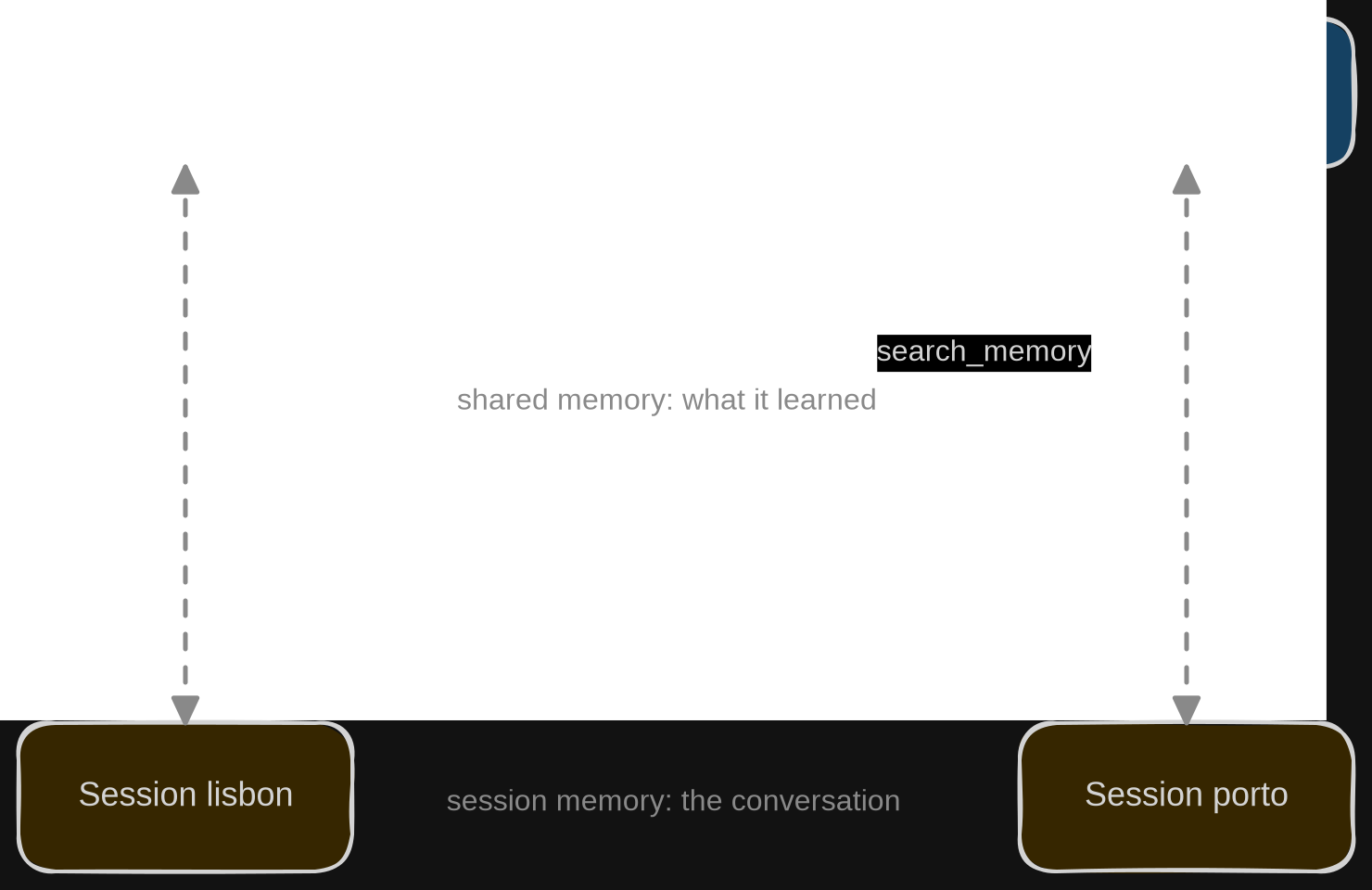
We’ll use the FileMemoryStore, which saves memories as plain markdown files, one file per topic. Strands also comes with a store for Amazon Bedrock Knowledge Bases, and you can write your own.
The lab for this is in 06-shared-memory, and builds on the previous lab. We keep one session per trip, and add a memory store that all the sessions share. We also give the agent a short system prompt, so it knows to check its memory before giving advice, and to save what we tell it about ourselves.
Python
We create the memory store, and give it a name and a place to save the files. We use the lab folder, so the memories end up in memory/travel/ next to the script. Then we hand the store to a MemoryManager:
from strands.memory import MemoryManager
from strands.storage import LocalFileStorage
from strands.vended_memory_stores import FileMemoryStore

memory_store = FileMemoryStore(name="travel", storage=LocalFileStorage(str(Path(__file__).parent)))
memory_manager = MemoryManager(stores=[memory_store], add_tool_config=True, injection=False)
The search tool is on by default, and add_tool_config=True turns on the add tool. I’ll come back to injection=False in a moment.
Then we give the agent the system prompt and the memory manager, next to the session manager:
SYSTEM_PROMPT = """You help people plan their trips around the weather.
Search your memory for the user's preferences before you give advice.
When the user tells you something about themselves, like what they enjoy doing
on a trip, save it to memory under the heading "# User preferences" before you answer."""

agent = Agent(
    system_prompt=SYSTEM_PROMPT,
    tools=[get_weather, get_forecast],
    session_manager=session_manager,
    memory_manager=memory_manager,
)
That system prompt didn’t look like this on the first try. We’ll get to why.
See the full example in the labs repository.
TypeScript
The TypeScript version has the same building blocks. The FileMemoryStore has its own import path:
import { Agent, MemoryManager, SessionManager, tool } from '@strands-agents/sdk';
import { LocalFileStorage } from '@strands-agents/sdk/storage';
import { FileMemoryStore } from '@strands-agents/sdk/vended-memory-stores/file-memory-store';

const LAB_DIR = new URL('.', import.meta.url).pathname;

const memoryStore = new FileMemoryStore({ name: 'travel', storage: new LocalFileStorage(LAB_DIR) });
const memoryManager = new MemoryManager({
  stores: [memoryStore],
  addToolConfig: true,
  injection: false,
});
And the agent gets the same system prompt and the memory manager:
const agent = new Agent({
  systemPrompt: SYSTEM_PROMPT,
  tools: [getWeather, getForecast],
  sessionManager,
  memoryManager,
});
See the full example in the labs repository.
Why we turned injection off
By default, the memory manager doesn’t wait for the model to ask. Before every model call, it searches the memory with our latest message, and adds what it finds to what the model sees. That’s called injection.
The catch is how the FileMemoryStore searches. It looks for words that the search and the memory have in common. I tested this without a model, by saving “Likes to spend as much time outside as possible when travelling” and searching for it. “Which day is best for me?” found nothing, since the two don’t share a single useful word. “What do you know about my travel preferences?” found it straight away.
So for this lab we turn injection off, and let the model search the memory itself, with its own words. Those words have to match too, as we’ll see in a moment, but at least the model can pick search words that fit a memory, instead of using our question as it is. It’s also easier to follow, since we can see every memory tool call in the output. With a store that searches by meaning instead of by words, like a knowledge base, injection is a good default.
It took a few tries
My first system prompt simply told the agent to save new preferences when the user shares them. So I sent the same Lisbon message as before, and this is how the answer started:
Let me look up your preferences and the Lisbon forecast at the same time! Tool #1: search_memory
Tool #2: get_forecast I don’t have any of your preferences on file yet — I’ll keep an eye out as we chat!
It searched the memory, found nothing, and promised to keep an eye out. But it never called add_memory. A small white lie, the kind we humans tell to get on with our day. To be fair to the model, “I’d like to spend as much time outside as possible” can be read as being about this one trip, and not about us.
So I made two changes. I told the agent more clearly what to save, and I rephrased the message as something that is true for every trip: “When I travel, I like to spend as much time outside as possible.” That worked, and the agent saved this:
User enjoys spending as much time outside as possible when traveling.
Then the Porto session searched the memory for “travel preferences and activities”, and found nothing. The search matches whole words, and “travel” is not “traveling”.
The FileMemoryStore is built to group facts under a markdown heading, one file per topic, and the heading counts in the search. So the last change was to tell the agent which heading to use, “# User preferences”. That’s the system prompt you saw above.
Let’s plan two trips
With the final system prompt, and a clean start, we tell the agent about Lisbon:
python main.py lisbon "I'm going to Lisbon this weekend. When I travel, I like to spend as much time outside as possible."          # Python
npm start -- lisbon "I'm going to Lisbon this weekend. When I travel, I like to spend as much time outside as possible."            # TypeScript
Tool #1: add_memory
Tool #2: get_forecast Great news — I’ve saved your outdoor preference for future trips! Here’s the Lisbon weekend forecast:
This time it called add_memory first, and then fetched the forecast. In memory/travel/ there’s now a file called user-preferences.md:
# User preferences

When traveling, the user likes to spend as much time outside as possible.
Then we plan Porto, in a new session, with the same question the agent couldn’t answer before:
python main.py porto "I'm going to Porto next weekend. You know what I like, so which day suits me best?"          # Python
npm start -- porto "I'm going to Porto next weekend. You know what I like, so which day suits me best?"            # TypeScript
Let me look up your preferences and the Porto forecast at the same time! Tool #1: search_memory
Tool #2: get_forecast I remember that you love spending as much time outside as possible — great choice for Porto! Here’s a look at next weekend’s forecast:
| Day | Date | Condition | Max Temp | Rain Chance |
|---|---|---|---|---|
| Saturday | Nov 8 | ⛈️ Thunderstorms | 17.7°C | 96% |
| Sunday | Nov 9 | ⛈️ Thunderstorms | 20.0°C | 94% |
Unfortunately, next weekend is looking quite stormy for Porto, with very high chances of rain and thunderstorms on both days. Neither day is ideal for being outdoors. 😕
That said, if you have to pick one, Sunday (Nov 9) is marginally better — it’s a touch warmer at 20°C, though the rain chance is still very high at 94%.
You might want to consider going a day or two earlier if you have flexibility — Monday to Thursday next week looks much more promising, with clear skies and no rain at all! 🌞 Especially Tuesday, Nov 4 and Wednesday, Nov 5, which are forecast to be sunny and dry.
Would you like help planning around those days instead?
“I remember that you love spending as much time outside as possible.” The agent searched the memory for “User preferences”, found what it learned in the Lisbon session, and used it to plan Porto. The Porto session still knows nothing about the Lisbon conversation itself, only the one thing worth remembering.
You might also notice that the weekdays are off. November 8 is a Sunday, and November 4 is a Wednesday. Just like in the previous post, the model doesn’t know what day it is today, and it guesses. Memory doesn’t fix that, but a tool that tells the agent today’s date would.
Session memory or shared memory?
Session memory is the conversation. It remembers everything that was said in one session, word for word, and only in that session. Use it when people should be able to come back to a conversation and continue where they left off.
Shared memory is what the agent has learned. It remembers only what was worth saving, and every session can use it. Use it for things that are true across conversations, like who the user is and what they prefer. But as we saw, the agent has to decide what’s worth saving, and find it again later. With the FileMemoryStore, finding it again means the search has to use the same words as the memory.
Most agents that talk to people will want both, just like our last lab. And both come with a responsibility. When an agent remembers things about people, those things have to be stored somewhere, protected, and deleted when they’re no longer needed. On my laptop that’s a couple of folders. In production it’s a database or a bucket, and it deserves the same care as any other user data.
Conclusion
That’s a lot of remembering for one post, so thanks for sticking with it!
We started with an agent that forgot our trip the moment the script ended. With a session manager, it remembers the whole conversation and picks up where we left off. With one session per trip, we saw where session memory stops: a new session knows nothing about the last one. And with a memory manager, the agent keeps what it learns about us, and brings it along to every new trip, as long as we help it save and find the right things.
Our agent is no longer a goldfish. Although, to be fair to the goldfish, the short memory is a myth. Goldfish can remember things for months, so our agent from the last post was doing even worse than we gave it credit for. In the next post we’ll keep building on it, and I’d love to have you along.
Until next time, thanks for reading!